 OpenCharts Desktop · Mac + Windows
Your Drive, on your desktop.
OpenCharts Desktop turns your Drive into a real folder on your Mac or PC — synced both ways, automatically. Every file you save there lands in OpenCharts; everything in OpenCharts lands there.
Free with your account · macOS 13 or later · Apple silicon and Intel · Windows 10 or later · 64-bit
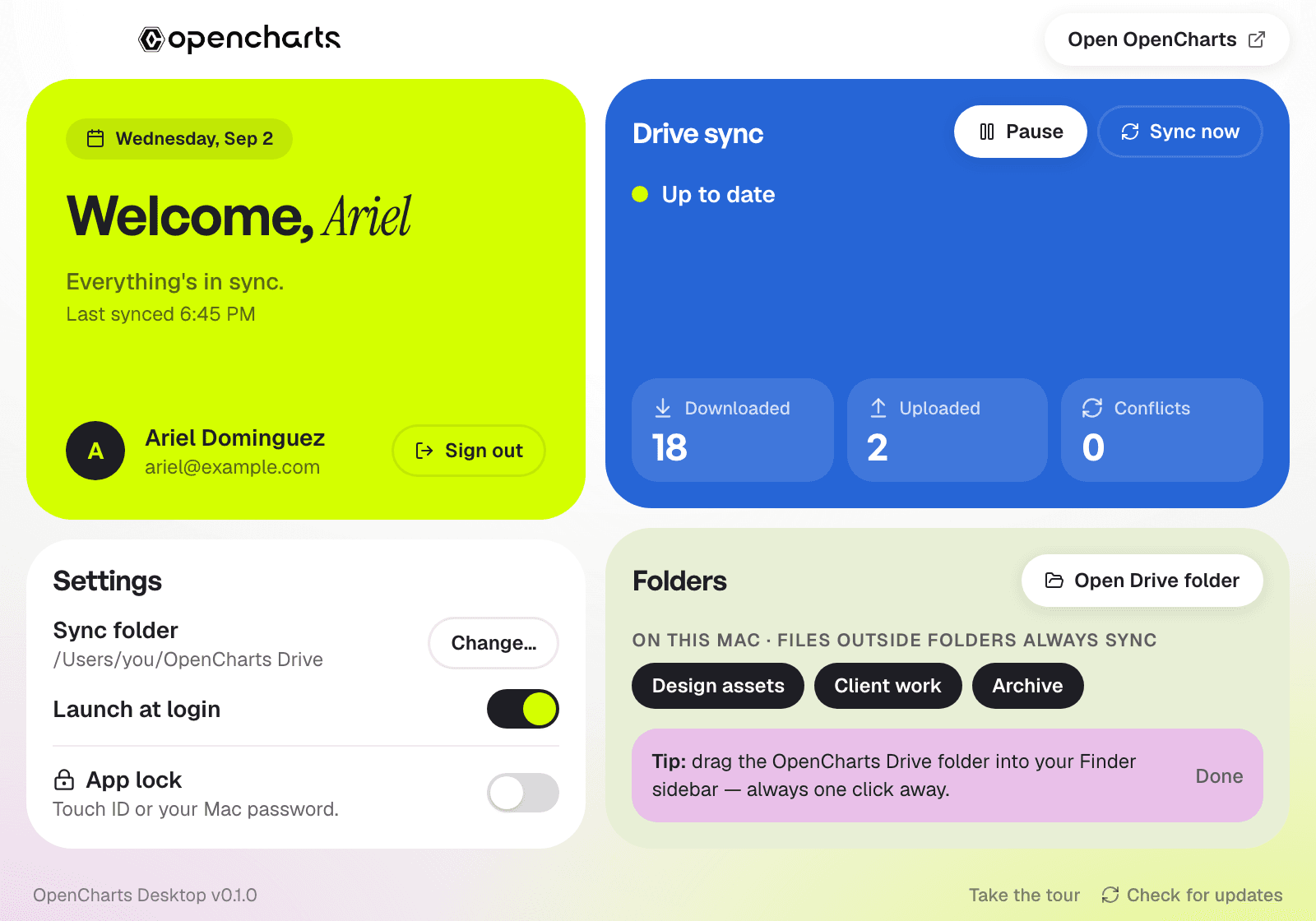
The whole app is one small window and a menu-bar icon. Everything else happens in your file manager.
Three steps. Then it just runs.
Install once, sign in once. From then on your Drive and your folder are the same thing.
Install
Download the app for your Mac or PC. It's a normal signed app — drag to Applications, or run the installer.
Sign in
One click opens your browser to sign in with your OpenCharts account. Two-step verification is supported.
Your Drive appears
A folder called OpenCharts Drive shows up on your computer with everything in it. Drag it into your Finder sidebar and forget about it.
Built like a sync client should be.
The rules that matter — never lose a file, never overwrite an edit, never surprise you — are built in, not settings.
Two-way, in seconds
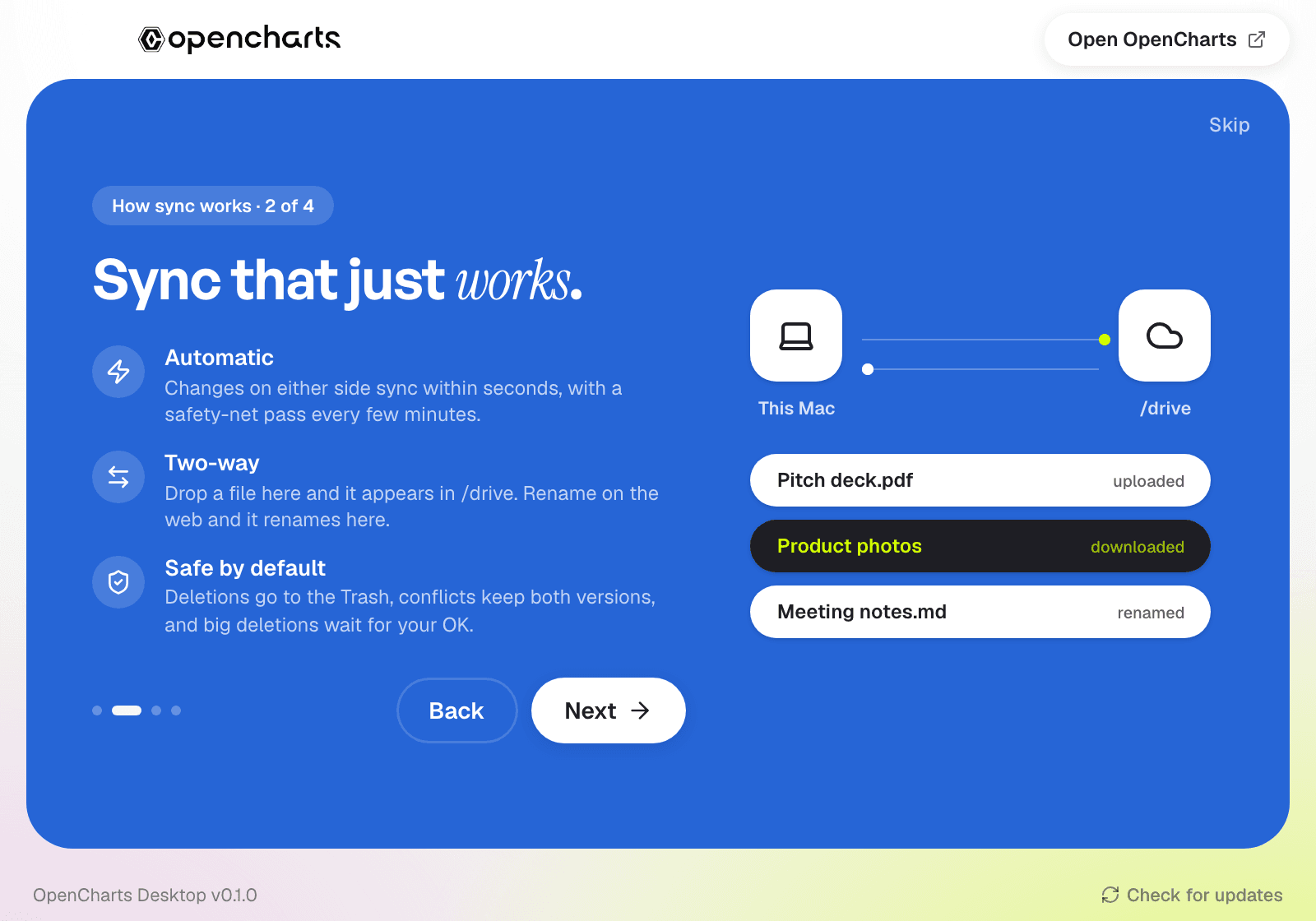
Drop a file in the folder and it appears in Drive. Rename on the web and it renames on your disk. Realtime, with a safety-net pass every few minutes.
A real folder
Not a browser tab — OpenCharts Drive lives in Finder and Explorer, so every app on your computer can open, save and search your files.
Choose what lives here
Sync every top-level folder or just the ones you need on this machine. Loose files always sync. Move the folder to any disk you like.
Safe by default
Deletions go to a trash you can restore from. Conflicts keep both versions. Large deletions wait for your OK before anything is removed.
App Lock
Touch ID or Windows Hello in front of the app, and optionally in front of the folder itself. No app passcode to remember — your computer already has one.
Always current
Starts with your computer and stays quietly in the menu bar. Updates are signed, verified and installed for you.
It explains itself before you sign in.
A short walkthrough covers what syncs, how conflicts are handled and how App Lock works, then a guided tour points at each part of the window once you're in.
Good to know.
Is OpenCharts Desktop free?
Which computers does it run on?
How does the sync work?
What if I edit the same file in two places?
What happens when I delete a file?
Can I choose which folders sync?
Is it private?
How do updates work?

Put your Drive where your files are.
Free with every OpenCharts account. Install in a minute, sign in once, and your Drive is a folder from then on.
macOS 13 or later · Apple silicon and Intel · Windows 10 or later · 64-bit