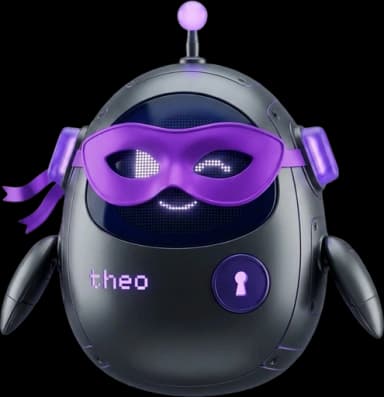
Theo Stealth
Theo Stealth is a completely private, zero-retention AI mode. Your messages are processed ephemerally, nothing you write or make is saved, and your session vanishes the moment you leave. Think of it as an off-the-record conversation with Theo.
What is Theo Stealth?
Theo Stealth is a private mode for Theo AI Chat. When activated, all messages are processed by a zero-retention AI provider. Your prompts and responses are deleted immediately after processing and are never stored in any database.
Messages exist only in the page's memory. They vanish when you refresh, close the tab, switch to regular mode, or manually clear the session, so download anything you want to keep before you leave. (The stealth mode itself does survive a refresh within the same tab.)
Stealth mode turns off the features that would keep your work: conversation history, memory extraction, skills, hooks and workflows. What remains is a private conversation with full creative freedom. Billing still counts what you use, and your account keeps a record that a request happened. Privacy Guarantees below sets out exactly what that record does and does not contain.
Activating Stealth Mode
The Stealth Toggle
In the AI Chat sidebar, you'll find a lever-style toggle switch labeled "Private." Flip it to activate stealth mode. The lever turns violet and a label appears beneath it.
The Transition
When you toggle, a full-screen animated overlay plays, featuring the stealth Theo mascot and a randomized message (e.g., "Going Dark," "Off the Record," "Stealth Session Active"). This overlay lasts about 4 seconds and confirms you've entered or exited stealth mode.
The Stealth Banner
Once active, a "Theo Stealth" pill appears at the top of the chat with a lock icon. Click it to open an info modal explaining all stealth capabilities. A fire button appears next to the pill once you've exchanged messages. Tap it to clear the session instantly.
What Changes in Stealth
Visual Changes
- The interface switches to a dark room theme with violet accents
- The conversation sidebar is hidden, so there is no history panel
- The mode selector shows "Stealth · " prefix with a lock icon
- The empty state becomes the Creator Studio: a hero band, six Sets tiles, and a shot builder over the starfield
- The composer grows a track rail (Photo · Anime · Edit · Video · Write) with engine, shape, heat, and persona pills, ringed by a slow violet sweep that speeds up while a render is in flight
Disabled Features
Conversation history
No sidebar; messages exist only in the current tab
Memory system
Theo won't extract or recall any memories
Skills & automation
No skills, hooks, or workflows run in stealth
Intent classification
Your prompts are not classified or profiled
Webhook dispatch
No external webhooks are triggered
Content in the audit log
Usage is recorded for billing; your prompts and images are not
Exception: Theo Moonlight
Runs on our own hardware, so your prompt and the image it makes are kept for safety review. Privacy Guarantees below has the detail.
Exception: History mode, if you switch it on
Ephemeral keeps nothing. History saves that session and its renders to your own account, and a small number of OpenCharts super admins can open them for support and safety — every time one does, it is recorded. Privacy Guarantees below has the detail.
Available Modes
Stealth mode restricts the mode selector to three options:
Available Capabilities
Unrestricted Chat
Ask anything. No conversation is saved or logged, and every response is processed with zero retention.
Image Generation
Image engines named for what they are, with full creative freedom. Each one states whether it is uncensored or content-filtered.
Video Generation
Text-to-video and image-to-video engines, some with native audio. Each one states whether it is uncensored or content-filtered.
Edit & Upscale
Attach a photo and change it, sharpen it 2× or 4×, or cut its background out, on an uncensored editor.
AI Writing
Draft documents, stories, and content with no filters. Nothing is retained after your session.
Brainstorm Freely
Explore ideas without judgment or logging. Every session starts completely fresh.
The Creator Studio
Stealth is built for adult content creators: the empty state, the composer, and every result are arranged around making a consistent set of spicy, uncensored photos and clips of one character, plus writing the copy to post with them, without anything being saved. Pick a Sets tile (Photo set, Anime set, Edit a photo, Animate, Persona, Captions) and the composer takes on that workflow; nothing is sent until you press Enter. Liked a frame but want it raunchier? Spicier on its card rewrites the prompt one notch more explicit and re-renders it on the same seed and engine. The same picture, turned up.
Photo sets
Start a photo set and one send renders four framings (full body, three-quarter, close-up, from behind) of the same look, on the same seed, so the set reads as one shoot. Save them all as a zip.
Personas
A persona is a look, a locked seed, a preferred engine, and up to three reference images. Every prompt leads with it, so a whole session stays on one character. It lives in this tab only and dies with the session.
Heat dial
Suggestive, Explicit, or Unfiltered. Heat sets the default negative prompt so the engine never adds nudity you did not ask for, or never holds back when you did.
Portrait clips
Video defaults to 9:16 on the uncensored engines, with 5s to 15s clips. Animate any result from its card, or make a clip of your persona from its references alone.
Result-card tools
Every image lands in a card with Save, Spicier (the same frame one notch more explicit, on the same seed and engine with an escalated prompt), Animate, Variations (two more takes on the same prompt on new seeds, side by side, so you can pick one and keep going from it), Upscale 2×/4×, Cut out, Use as reference, Edit this prompt (restores it with the seed locked), and Save as persona.
Gallery
Every render lands in the Studio's Gallery: this session's in Ephemeral, your whole library in History. Open it large to select one render or all of them, then use them in the composer, edit them, add them as persona references, save them, or delete them.
Creator copy
Write presets for captions, teasers, PPV pitches, replies to fans, in-character persona chat, and stories, all on the uncensored text engines and none of it saved.
Yours, unmarked
Videos never carry a watermark, and on a paid plan every image comes back clean too. Free accounts get a small OpenCharts emblem on images.
Image Generation in Stealth
When you select Image & Video mode in stealth, a dedicated model picker appears in the chat input. Choose from 10 image models, each named for the engine it is and optimized for a different visual style. Uncensored engines are listed first and badged; a filtered engine will refuse an adult prompt, and you are never charged for a refusal.
Image Models
Lustify v8
Photoreal people with lifelike skin, sharp at 1536px
Lustify v7
The previous Lustify look, for sets already dialled in on it
Lustify SDXL
Photoreal with strong camera and film cues
WAI Illustrious
Anime and illustration, tag driven
Chroma
Vibrant and general purpose, follows detailed prompts
Seedream 4
Cinematic and editorial scenes, precise prompt following
Seedream 5 Lite
Fast cinematic, reasons through complex prompts
Z-Image Turbo
Drafts in seconds, keep prompts simple
Stable Diffusion 3.5
Versatile all rounder
Qwen Image
Illustrated and painterly styles, strong with text
Aspect Ratios
Square
1:1 · 1024 × 1024
Portrait
3:4 · 768 × 1024
Landscape
4:3 · 1024 × 768
Wide
16:9 · 1280 × 720
Video Generation in Stealth
Stealth mode includes 10 video models, both text-to-video and image-to-video. Video generation is asynchronous: you submit a prompt, Theo queues the job, and polls for completion. The result plays inline in your ephemeral chat. Clips default to portrait (9:16); the frame shape pill offers 16:9 and 1:1 where the engine supports them, and image-to-video engines follow the shape of the source image.
MiniMax H3, Wan 2.7, Wan 2.2, Wan 2.7 I2V, MiniMax H3 R2V, Wan 2.2 I2V, and Wan 2.1 Pro are uncensored. The rest apply content filtering. Each model below says which it is, so pick accordingly.
MiniMax H3
Text → VideoUncensoredCinematic clips with audio
Durations: 5s, 10s
Wan 2.7
Text → VideoUncensoredNewest text to video, with audio
Durations: 5s, 10s, 15s
Wan 2.2
Text → VideoUncensoredQuick text to video
Durations: 5s
Wan 2.7 I2V
Image → VideoUncensoredAnimates your image, with audio
Durations: 5s, 10s, 15s
MiniMax H3 R2V
Image → VideoUncensoredKeeps your character consistent, with audio
Durations: 5s, 10s
Wan 2.2 I2V
Image → VideoUncensoredQuick image animation, the cheapest clip
Durations: 5s, 8s
Wan 2.1 Pro
Image → VideoUncensoredAnimates your image in widescreen
Durations: 6s
HappyHorse 1.1
Text → VideoFilteredCinematic with audio, content filtered
Durations: 5s, 10s
Wan 2.5
Text → VideoFilteredText to video
Durations: 5s, 10s
Wan 2.5 I2V
Image → VideoFilteredAnimates your image
Durations: 5s, 10s
Clearing Your Session
Once you've exchanged at least one message, a fire button (🔥 Clear) appears in the stealth banner at the top of the chat. Tap it to instantly wipe all messages from the current session.
A "poof" animation overlay plays while the messages are being cleared, so any UI reset happens behind the overlay and you see a clean transition. You remain in stealth mode with a fresh, empty chat.
You can also leave stealth mode entirely by flipping the toggle back. The exit transition plays and all ephemeral messages are discarded.
Privacy Guarantees
What you make in stealth mode is ephemeral. Messages are processed by a zero-retention AI provider and deleted instantly. No memories, skills or conversation history are recorded, and your session vanishes when you leave. Your account still shows that a request happened, which is the distinction the list below draws. Theo Moonlight is the one exception, because we run it ourselves. See the last item.
- No database persistence, on the partner engines. Messages are never written to Appwrite or any other storage. Theo Moonlight is the exception; see below.
- No memory extraction. Theo will not learn from or remember anything said in stealth.
- No webhook dispatch. External integrations are never triggered.
- Your content is not in the server logs. They record that a render happened, with timings and sizes, and never contain your prompt text or your images. Separately from logging, Theo Moonlight retains both; see below.
- Requests are recorded against your account. What kind of request it was, when, and what it cost, at a reduced billing rate. That record outlives the session, and requests we decline are recorded too. The content is not.
- Theo Moonlight keeps your prompt and your image. Moonlight runs on our own hardware, so we are directly responsible for what it makes. Every Moonlight render is retained with its prompt so a small team can check our safety controls are working. It is held for a limited time, never used for training, never sold or shared for advertising, and access is restricted and logged. Material connected to a child-safety report is kept longer because the law requires it. Every other engine here keeps nothing, and the picker names Moonlight clearly so the choice is yours.
- History mode is saved, and super admins can read it. Ephemeral is the default and keeps nothing. If you switch the stealth pill to History, that conversation and its renders are saved to your own account — and OpenCharts super admins can open them from an internal support surface, for support, billing disputes and safety. Not every admin: only super admins, and every session opened and every render viewed is recorded against the person who did it. Nothing there can leave as a shareable link. Switch back to Ephemeral, or delete the session or the render, and there is nothing left to open. The AI provider is zero-retention in both modes; this is only about what we keep.
Ephemeral is about your work, not anonymity. Safety & Privacy sets out in full what is kept, what this surface will not make, and how refusals behave.
Stealth Tour
When you're in stealth mode, Theo offers a dedicated guided walkthrough that highlights the stealth-specific controls: the private toggle, the chat input, quick actions, and the session clear button. Access it from Theo's menu → "Show me around" while in stealth mode.
Frequently Asked Questions
Do I still use AI credits?
Yes. Stealth mode uses credits at a reduced rate (roughly half the cost of standard modes). Credit usage is tracked for billing, but message content is never stored.
Can I use voice mode in stealth?
No. Stealth mode supports three modes: Fast (text), Think (deep reasoning), and Image & Video (visual generation). Voice, Code, Research, Learn, Explore, Consensus, and Social modes are not available in stealth.
Is my conversation truly deleted?
Yes. Messages are processed by a zero-retention AI provider and are never written to any database. They exist only in your browser's session memory and vanish when you close the tab or leave stealth mode.
Can I attach files?
Image attachments work two ways. On an image engine, an attached photo is EDITED: describe the change and the uncensored editor applies it. On an image-to-video engine (Wan 2.7 I2V, MiniMax H3 R2V, Wan 2.2 I2V, Wan 2.1 Pro, and Wan 2.5 I2V), the attachment is the frame that gets animated. Attach one to a text-to-video model and Theo will tell you the image can't be used, because those models generate from text alone. Standard file uploads for document extraction are not available in stealth mode.
Is there a watermark?
Never on video, on any plan. Images come back clean on a paid plan; Free accounts get a small OpenCharts emblem in the corner of each image.
What is a persona, and where is it stored?
A persona is a look (a short description), a locked seed, a preferred engine, and up to three reference images. It leads every prompt so a whole session stays on one character. The text fields live in this tab's session storage; the reference images live only in the page's memory. Clearing the session or leaving stealth removes it.
Whose likeness can I use as a reference?
Your own, or your AI persona's. Before the first reference upload you confirm that any likeness you provide is yours to use. That confirmation is remembered on this device and never asked again.
Does stealth mode persist across page refreshes?
The MODE does. It's stored in sessionStorage, so a refresh keeps you in stealth within the same tab, and it resets when you close the tab. Your MESSAGES do not: they live only in the page's memory, so a refresh clears the conversation and any images or videos in it. Save anything you want to keep before you reload.
How do I keep an image or video I generated?
Use Save on the result. Images offer PNG, JPEG, or SVG; videos have a Save button under the player. Nothing in a stealth session is written to your workspace, so a download is the only copy, and a refresh or a session clear will discard the original.
Can other users see that I'm in stealth mode?
No. Stealth mode is entirely client-side. There is no server-side indicator, no presence update, and nothing appears in any activity other people can see. (Your own account still records that a request happened, for billing; see Privacy Guarantees.)
If I turn History on, can anyone at OpenCharts read those sessions?
Yes, a small number can, and that is the trade you make by turning it on. Ephemeral keeps nothing, so there is nothing for anyone to read. History saves the conversation and its renders to your own account, and OpenCharts super admins can open them from an internal support surface — for support requests, billing disputes and safety. It is restricted to super admins, every session opened and every render viewed is recorded against the admin who did it, and nothing there can be shared out or downloaded as a link. Switch back to Ephemeral, or delete a session or a render, and there is nothing left to open. The AI provider is zero-retention in both modes; this is only about what OpenCharts itself keeps.
Related Articles
Theo AI Overview
Overview of Theo AI — 11 chat modes, creation tools, generative UI, memory, and the sidebar mascot.
AI Chat
Conversational AI that creates flowcharts, whiteboards, notes, and presentations from natural language.
Theo Memory
Theo remembers your preferences, facts, and instructions across conversations for personalized AI.
Settings & Account
Manage your profile, security, notifications, theme, and privacy settings.